

Deposit and stake £20 for
50 free spins
On Big Bass Football Bonanza, for new UK accounts
- 10p a spin, credited within 7 days, valid 7 days
- £50 conversion cap, one claim per customer
A bounced payment at Hot Streak almost always has an ordinary cause: a credit card the law will not allow, a gambling block inside your banking app, or a prompt left unanswered. This page works through each cause in turn, shows what to check first, and explains how to deposit successfully the next time.
- CREDIT CARDSRefused by law
- BANK BLOCKSCheck your app
- MINIMUM£10 deposit
- LIVE CHAT08:00-04:00 GMT
Work down this listShowHide
- Why a Hot Streak deposit gets declined
- What your card issuer is actually doing
- Wallets: PayPal, Apple Pay, Google Pay and MuchBetter
- Pay by Bank, and why a bank transfer behaves differently
- Every method, with its limits side by side
- What the payment looks like on your statement
- A deposit, walked through step by step
- The avoidable ones
The short answer
The most common cause is a credit card: since April 2020 no UK-licensed operator may accept one, and nobody can waive that. Switch to a Visa or Mastercard debit card. If the card is debit, check your banking app for a gambling block, then any unanswered 3-D Secure prompt, then the card details and your own limits.
Six common causes
Why a Hot Streak deposit gets declined
Most failed deposits trace back to one of six causes, and the error message rarely says which.
A credit card
Since April 2020 no operator holding a UK licence may take a credit card for gambling. The payment is refused by rule before any balance is checked, support has no power to override it, and a second attempt fails exactly like the first. A Visa or Mastercard debit card on the same account works.
A prepaid card
Hot Streak does not take prepaid cards, even those carrying the Visa or Mastercard logo with plenty of money loaded. The card may be perfectly good in shops, but this cashier simply does not accept it. Use a standard debit card, PayPal, Pay by Bank or MuchBetter instead.
Your bank's gambling block
Most UK banks and app banks let customers switch on a block that refuses gambling payments at source, using the merchant category. The casino never sees the attempt, so the fault may not be on its side at all. Check your banking app first, because lifting a block is often not instant.
3-D Secure or a one-time code failing
Your bank may ask you to approve the payment with a code, a fingerprint or a prompt in its app. If the code arrives late, goes to an old phone number or times out, the bank closes the attempt and the casino shows a decline. Start again and answer the prompt promptly.
Wrong card details, expiry or billing address
One wrong digit, an expiry date a month out, or a billing address that differs from the one your bank holds is enough for a refusal. Phone autofill sometimes inserts an old card or an old address. Retype the details slowly and compare the address with your latest bank statement.
A limit, time-out or GAMSTOP registration
A deposit limit you set earlier can cap what the cashier accepts, a time-out pauses the account, and a GAMSTOP registration closes UK-licensed sites to you altogether. These controls are doing their job rather than malfunctioning. Look in your account's safer gambling area before you suspect the payment.
The pattern of the failure often points to the cause. A decline within a second or two, with no banking notification at all, usually means something refused the payment before it went anywhere: the credit card rule, a prepaid card, a block in your banking app, or a restriction on the account. A failure that appears only after you have been sent to your bank, or after you were meant to approve something, points towards 3-D Secure. A decline that arrives after you retyped a card by hand points towards a typo. None of this is certain, but it narrows the search quickly.
It also helps to know what support can and cannot do. The live chat team can look at the account side of the story: whether verification is outstanding, whether a limit or time-out is active, whether the cashier has been restricted. They cannot see inside your bank's decision, and they cannot waive the credit card rule because it is a condition of the licence rather than a house policy. The chat desk is staffed from 08:00 until 04:00 GMT daily. When you open it, quote the time of the attempt, the amount and the method, because that lets them find the attempt in seconds.
If every method fails at once and pages are slow to load, the problem may be the site rather than your payment. In that case the status page explains how to tell whose fault it is. For the full list of what the cashier accepts and how each method behaves, the cashier guide is the place to start. The rest of this page goes deeper on failed deposits only, one layer at a time, beginning with the part you cannot see: what your bank is doing when it says no.
Behind the decline
What your card issuer is actually doing
A card payment is a question put to your bank, and the answer comes back as a bare yes or no.
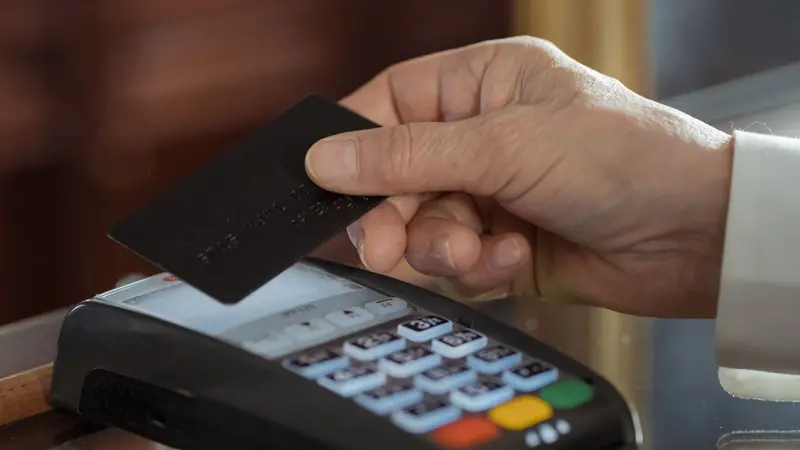
When you press the deposit button, the casino does not take money from your card. It sends a request through a payment processor to the bank that issued the card, and that bank decides whether to authorise it. The bank looks at the card's status, the money or credit available, the rules you have set in your app, the type of merchant and whatever its fraud systems make of the payment. It then returns an approval or a refusal. The refusal often carries a code that the casino's screen turns into a generic message, which is why a dozen different problems all look identical from your side.
Merchant category rules
Gambling payments are tagged with a category code before they leave the merchant, and banks can act on that code. A block you or your bank switched on refuses the payment without reference to the casino's name. The block can also catch money coming back, so check how your bank treats incoming gambling credits too.
Fraud screening
A first payment to a new gambling merchant, an amount larger than your usual spending, or an attempt late at night can all make an automated system hold a payment. Many banks then send a message or a notification asking you to confirm it was you. Confirm it in the app, wait a few minutes, then try once more.
Limits you set in the app
Some banking apps let you cap online spending per payment, per day or per category. A cap you set months ago and forgot about will refuse a deposit that fits comfortably inside your balance. Open the card's settings screen and read every limit listed there.
Available balance
Pending transactions already reduce what the bank will authorise, even though they have not settled. A deposit that looks affordable against the headline balance can fail against the available one. A small overdraft you rarely use may also be excluded from card authorisations, depending on the bank.
Card status
A card frozen in the app, a card replaced after a loss, or one that was renewed with a new number and expiry will all fail. If you received a new card recently, the number saved in your browser or wallet may be the old one. Delete it and enter the new details by hand.
Online and contactless switches
Several banks let you switch card use online on or off, or limit it to certain regions. A switch you flipped for safety while travelling can stay off long after the trip. Look for the toggle for online payments and check it is on.
The quickest way to learn what your bank thought is to open its app straight after the failure and look at the transaction feed. Many banks list a declined attempt, and some show a plain-English reason when you tap it. If the attempt does not appear at all, the payment most likely never reached the bank, which points back to the casino side: a restriction on the account, a method the cashier does not accept, or a typed detail that failed the first check. If it does appear, the bank was involved, and the app will usually give you the shortest route to fixing it.
A word on gambling blocks, because they cause more confusion than any other setting. Most UK banks and app banks offer one, and many accounts have it on at some point. Switching it off is frequently followed by a cooling-off delay before the change takes effect, often up to 48 or 72 hours depending on the bank. That delay is deliberate, designed to stop an impulsive decision, so it is not a sign that something has broken. The exact length is the bank's own rule and it varies, so the bank's app or help page is the only place to confirm it. Do not assume the casino is at fault until you have looked there.
One last habit worth dropping is hammering the button. Several attempts in quick succession can look like card testing to a fraud system, and some banks respond by pausing the card for a while. If a payment fails, stop, read the bank's feed, fix the cause you found, and make one careful attempt. Wait a few minutes between tries rather than pressing again and again.
Wallet failures
Wallets: PayPal, Apple Pay, Google Pay and MuchBetter
A wallet adds a layer between you and the casino, and each layer has its own way of saying no.
Wallets feel safer than typing a card number, and in one respect they are: the casino never sees your card details. But a wallet is not a separate pot of money in every case. PayPal can draw on your bank or on a card you have linked, and Apple Pay and Google Pay are only a doorway to a card already stored on your phone. When one of them fails, the cause usually lives in what sits behind it.
- PAYPALAccount in your own name and verified; the funding source must not be a credit card
- APPLE PAYWrapper around a debit card in your phone's wallet; a declined card declines here too
- GOOGLE PAYSame logic as Apple Pay; the card selected at the payment sheet is the one that matters
- MUCHBETTERA wallet you top up yourself; its own balance and limits are the first thing to check
PayPal has two separate hazards. The first is the funding source. PayPal chooses how to pay according to the order of the sources you have attached, and if a credit card sits at the top, the payment ends up credit-funded, which a UK-licensed casino must refuse. Open your PayPal settings, look at the preferred way to pay, and make a bank account or a debit card the first choice before depositing. The second hazard is identity. The PayPal account has to be in your own name and verified, and the name has to match the casino account. A deposit may sometimes slip through with a mismatch, but the withdrawal will stall at review, so correct it before you play rather than after you win.
Apple Pay and Google Pay are wrappers. When you tap to pay, the phone passes a token for the card you picked, and the card's issuer makes the same decision it would make if you had typed the number. That means every cause of a card decline applies: a credit card, a prepaid card, a gambling block, a frozen card or too little available money. The common surprise is that the phone's default card may not be the debit card you had in mind. Many people keep a credit card as the default for shopping and forget about it. Check the card shown on the payment sheet before you confirm, and tap it to choose a debit card if needed. Face recognition or a fingerprint that times out can also cancel the attempt, which looks like a decline.
Neither of them can be used to withdraw. Because they sit on top of a card, a payout goes back to that card, with the timing of any card payment. If the card behind the wallet is one you would rather not receive winnings on, change the card you deposit with before you start, since the money returns the way it came.
MuchBetter is a wallet app, and the operator publishes no limits specific to it. If a MuchBetter deposit fails, open the app and check its own balance, its transaction limits and whether the payment is waiting for an approval in the app. A wallet that is empty, locked or short of a verification step will decline, and the casino cannot see why. Topping up first, or approving the pending request, normally settles it. If none of the wallets works for you, the plain debit card remains the simplest route, and the cashier guide lays out how each method behaves once you are in.
Bank-to-bank
Pay by Bank, and why a bank transfer behaves differently
Pay by Bank sidesteps the card entirely, which removes some failures and introduces a few of its own.
Pay by Bank runs through Trustly. Instead of a card number you choose your bank, sign in to it through a secure screen, and approve a payment from your account straight to the casino. Nothing needs signing up for, there is no card number to mistype, and there is no expiry date or billing address to get wrong. Whole families of card failure simply do not exist on this route, including the credit card rule, because no card is involved at all.
Trustly covers Bank of Scotland, NatWest, Barclays, Lloyds, Santander, Nationwide, HSBC, Monzo, TSB, Starling, Danske and Bank of Ireland. If your bank is not on that list the option will not work for you, and a debit card is the answer. If your bank is on the list, the route is also one of the quick ways back out, because winnings paid to a bank account do not queue behind a card scheme's settlement cycle.
You did not finish the approval
The payment is only made when you approve it in your bank's own screen or app. Closing the browser tab, switching apps and not coming back, or letting the session expire leaves the deposit incomplete. Start again and stay with it until the confirmation page loads.
Your bank's limits apply
A per-payment or daily limit set by your bank applies to a bank payment as it would to any other transfer. The operator publishes no maximum for Pay by Bank. If the amount is refused, try a smaller one, or raise the limit through your banking app.
The sign-in step failed
You must sign in with the same credentials you use for online banking. A forgotten password, a locked profile or an expired security device stops the process. Log in to the bank directly first to confirm everything works, then return to the cashier.
Gambling settings reach further than cards
Some banks apply their gambling controls to every kind of payment, not just cards. If a transfer is refused for no clear reason, check the controls section of the app rather than assuming only card payments are covered.
Your account is not eligible
Joint accounts, savings accounts and accounts with restricted payments may not allow a payment this way. Choose the current account you use every day, and make sure it is in your own name.
The practical difference is the sort of failure you meet. A card decline comes from a single yes-or-no answer, often unexplained. A bank payment is something you actively complete, so most failures are unfinished steps rather than refusals. That makes them easier to fix: go back, complete the approval, confirm the amount, and look for a confirmation before closing anything.
Whichever method you use for the deposit is the one the withdrawal returns to, so choose the route you want your winnings on from the start.
Limits at a glance
Every method, with its limits side by side
Only the figures the operator publishes appear below; anything else is marked as not published.
| Method | Minimum | Maximum | Speed in | Speed out |
|---|---|---|---|---|
| Visa debit | £10 | Not published | Instant | 1-5 days, slowest |
| Mastercard debit | £10 | Not published | Instant | 1-5 days, slowest |
| PayPal | £10 | Not published | Instant | Next day |
| Pay by Bank | £10 | Not published | Instant | Next day |
| Apple Pay | £10 | Not published | Instant | Not a payout route |
| Google Pay | £10 | Not published | Instant | Not a payout route |
| MuchBetter | £10 | Not published | Instant | Not published |
Swipe the table sideways
Minimum deposit is £10 on every route. Withdrawals run from £10 to £10,000 per request.
Read the table with a few things in mind. The minimum of £10 is the cashier's floor, and a deposit below it will be refused whichever method you pick. That floor is not the same as the welcome offer's requirement, which asks for £20 paid in and £20 of cash staked on slots, so a £10 deposit is a perfectly good payment that earns no welcome spins. Where the table says not published, the operator has not put a figure in front of players, and guessing would only mislead. If a large deposit fails on a method with no published maximum, the ceiling is far more likely to be your bank's limit, your card's limit or a deposit limit you set yourself.
The two right-hand columns describe different stages of the round trip. Money goes in at once on every method. Coming out, a withdrawal can sit for as long as 48 hours while the operator approves it, and once approved it takes 1-5 working days depending on the method, with a bank holiday adding a day. A card payout then waits on the card schemes, which is why the card sits at the slow end. PayPal and Pay by Bank are generally the quicker routes. Apple Pay and Google Pay are not payout routes because they sit on a card, so winnings go to the card behind them. For MuchBetter the operator names no payout speed of its own, so it reads not published.
Two limits never appear in a cashier table because they belong to you. One is the deposit limit you may have set in the safer gambling area, which can sit well below the cashier's own figures. The other is whatever your bank applies, and banks differ widely. When a deposit fails and the amount is comfortably inside every published figure, those two are the ones to examine. If the figures on your cashier screen differ from this page, trust the screen, because published numbers can change.
Reading the line
What the payment looks like on your statement
The operator does not publish its merchant descriptor, so the sensible approach is to know what to look for in general.
After a deposit, or even after a failed attempt, you may see a line in your banking app and wonder whether it is yours. The exact text of the descriptor Hot Streak uses has not been published, so nothing here promises a specific string. What you can expect is the same pattern any regulated gambling payment follows, and it is enough to recognise your own payment with a little care.
- CATEGORYA gambling merchant category code, the betting and wagering code the card schemes use
- AMOUNTIn pounds, matching the figure you entered, with no conversion or exchange line
- NAME ON THE LINEThe licensee's or the brand's name rather than a bank's, and possibly a processor's name
- DESCRIPTOR TEXTNot published by the operator
- DATEThe day you pressed deposit, or the next working day when it settled late
The reliable test is the amount and the date. Open your account's transaction history at the casino, find the deposit, and compare the figure and the day with the line in your bank. If they match, the line is yours, even if the name looks unfamiliar. If you made no deposit on that date, or the amount differs, contact the operator's support through your account with the date, the amount and the method, and ask them to confirm. Quote what you see on the bank line exactly, because that is what lets them trace it.
A failed deposit can leave a trace too. Some banks show a declined attempt in the feed with a clear label. Others show a held amount that sits among pending items for a while and then drops away without ever settling. That is a reserved sum that was never taken, not a charge. How long it takes to clear varies by bank, so check your own app's help pages if it lingers. If money has genuinely left your account and the casino balance has not changed, write to support through the account straight away, giving the time, the amount and the card or method used, and keep a screenshot of both the bank line and the casino balance.
Raising a dispute with your bank is a step to hold in reserve. It is worth checking the casino's transaction history first, since a deposit that actually reached the account is usually not an error at all. The cashier guide covers what a dispute can set in motion. For this page the point is simpler: a clean match on amount and date resolves most doubts in a minute, without involving anyone.

Do it once, properly
A deposit, walked through step by step
Here is the order that gives a first deposit its best chance of working and of counting for the offer.
Most failed deposits are made in a hurry. The steps below take a couple of minutes longer than tapping through, and they remove nearly every avoidable cause covered above. Follow them in order the first time, and again after any change to your bank, your phone or your account.
- 1Check the front of your card for the word Debit, and make sure the name on it is yours.
- 2Upload your ID and proof of address in the account area before you pay anything.
- 3Open your banking app and make sure no gambling block or online-payment switch is on.
- 4In the cashier, choose the method, enter the amount in pounds and, for a first deposit, pick the welcome offer from the drop-down.
- 5Approve the payment when your bank asks, using the code, fingerprint or app prompt.
- 6Check the balance has changed, then stake £20 in cash on slots to complete the offer.
Step two matters more than it looks. The account is verified before play, not at the first withdrawal, so documents uploaded at registration are what prevent a slow first payout later. A payment may go through with checks unfinished, but the cashier can be restricted until they are done, and a message waiting in the account is a likelier explanation than a fault. Step three is the one people skip, and it is the cause behind the majority of declines where the card itself is entirely fine.
Step four carries a trap for the welcome spins. The welcome spins are the Big Bass Football Bonanza ones, and they are chosen from the drop-down while making the first deposit, which must be £20 or more. A deposit made without selecting it can succeed perfectly and still miss the offer, because the promotion is attached at the moment of payment rather than afterwards. If you are not sure the offer is worth taking, the bonuses page sets out what the conditions really involve. Everything is in pounds, with no currency conversion and no crypto option.
If step five fails, resist the urge to repeat it at once. Note the time, open the bank's transaction feed, and work through the causes in the first two sections of this page. One considered second attempt, after you have changed something, is worth more than five identical ones. When you are ready to try again, play at Hot Streak and start from the cashier.
Common slips
The avoidable ones
Most of these cost a player nothing but time, and every one is easy to prevent.
Trying the same credit card again
It will never work, on any day or for any amount. The rule is a licence condition, so no retry, no smaller sum and no message to support can change it. Spend the time on finding a debit card instead.
Assuming the casino has blocked you
Far more often the refusal comes from the bank's own gambling setting or from a limit you set earlier. Look at the banking app and the account's safer gambling area before you blame anyone. Both checks take about a minute.
Switching a block off and trying at once
Lifting a gambling block frequently takes effect only after a delay, often up to 48 or 72 hours. Trying immediately fails and teaches you nothing. Use another debit card, PayPal or Pay by Bank in the meantime, if they are available to you.
Choosing the wrong card in a wallet
The default card in Apple Pay or Google Pay is often a credit card. Always read the card shown on the payment sheet, and change it before confirming, rather than learning from a decline.
Paying from someone else's account
Using a partner's card or PayPal fails on identity checks, and a deposit that does go through can hold up a withdrawal at review. Every payment method must be in your own name.
Skipping the offer drop-down
A first deposit made without choosing the welcome spins cannot be turned into the offer afterwards. Pick it from the list during that payment, and make the deposit £20 or more.
Waiting to upload documents
Verification is done before play, so uploading documents at registration saves a slow first payout. Leaving them until later keeps the cashier and your first withdrawal waiting on a queue you could have avoided.
If you have worked through everything on this page and a deposit still fails, speak to support through the live chat, open from 08:00 until 04:00 GMT daily. Give the method, the amount and the time. If the answer does not settle things, a written complaint to the operator comes first, and if that does not resolve it, the Commission-approved adjudication service named in the operator's complaints policy is eCOGRA. A declined deposit rarely reaches that stage, but it helps to know the route exists.
One last point concerns the controls that sometimes look like errors. A deposit limit, a time-out or a GAMSTOP registration is something you chose, usually on a calmer day, and the cashier will refuse payments that cut across it. If you find that a decline keeps coming from one of those, it may be the account doing precisely what you asked of it. Support, and independent help such as GAMSTOP, can talk through the options without judgement whenever you want to.
Reader questions
Declined deposit questions
Why was my card declined at Hot Streak when I have money in my account?
The balance is rarely the issue. The usual causes are a credit card, which no UK-licensed operator may accept since April 2020, a prepaid card, which Hot Streak refuses, or a gambling block in your banking app. Check the card says Debit, then look at the app, then at any unanswered approval prompt.
Can Hot Streak support accept my credit card anyway?
No. The ban on credit cards for UK-licensed gambling is a condition of the licence, so support has no authority to make an exception and retrying will never help. The same account works with a Visa or Mastercard debit card, with PayPal set to pay from a bank or debit card, with Pay by Bank, and with MuchBetter.
I switched off my bank's gambling block but the deposit still fails. Why?
Many banks add a cooling-off delay before a block is lifted, often up to 48 or 72 hours, and the exact length is the bank's own rule. Check your banking app to see when the change takes effect. Until then, you can try another route, such as Pay by Bank or PayPal if either is available to you.
Will Apple Pay or Google Pay work if my card keeps declining?
Not usually. Both are wrappers around a card already stored on your phone, so the same bank decision applies and a declined card declines again. Check which card the payment sheet is using, because it may be a credit card. Selecting a Visa or Mastercard debit card instead often fixes it.
My deposit was declined but the money has left my bank account. What should I do?
Look at your banking app first: a declined attempt can leave a held amount that disappears without ever being taken, and how long that takes depends on the bank. If it does not clear and your casino balance has not changed, contact Hot Streak support through your account with the date, the amount and the method.
Does a failed deposit mean Hot Streak is down?
Rarely. If one method fails and the others work, the cause is on the payment side, usually the card or the bank. If every method fails and pages load slowly or not at all, the site itself may be at fault. The status page on this guide explains how to tell the two apart.
Can a deposit succeed and still miss the welcome offer?
Yes. The welcome spins need the offer picked from the drop-down during a first deposit of at least £20, followed by £20 of your own cash staked on slots. A deposit made without selecting the offer works as a normal deposit, and the promotion cannot be added to it afterwards.
 50 free spins for £20
Before you try the deposit again
Almost every declined deposit comes down to something you can see in two places: the card itself and your banking app. Check that it is a debit card, that no block or limit stands in the way, and that you answer the bank's prompt when it arrives. After that, the payment is usually the easy part.
When you are ready, make one careful attempt from the cashier, choose the welcome offer if it is your first deposit, and keep your documents uploaded so a later withdrawal is straightforward.
- Debit card, never credit
- Check the banking app first
- Pick the offer on the first deposit
18+ only. Gamble responsibly. Free help at BeGambleAware.org.